Edmaster Educational Management System: Core Features
Schools today need more than paper files and spreadsheets to stay organized. That’s why many institutions are turning to Edmaster, a smart educational management system designed to simplify school administration, streamline processes, and increase transparency.
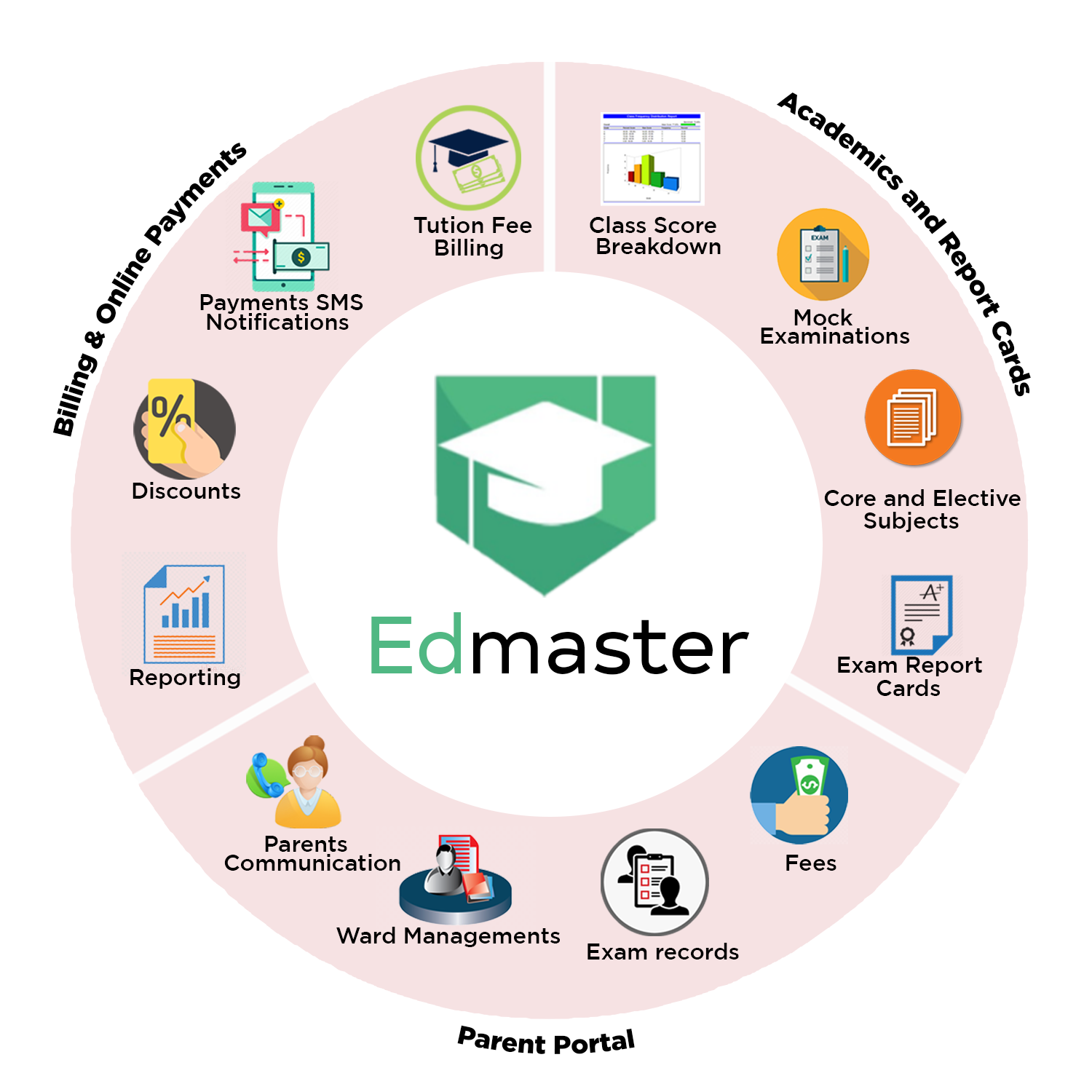
Below are the core features of Edmaster, along with their respective functions that support schools, parents, students, and staff.
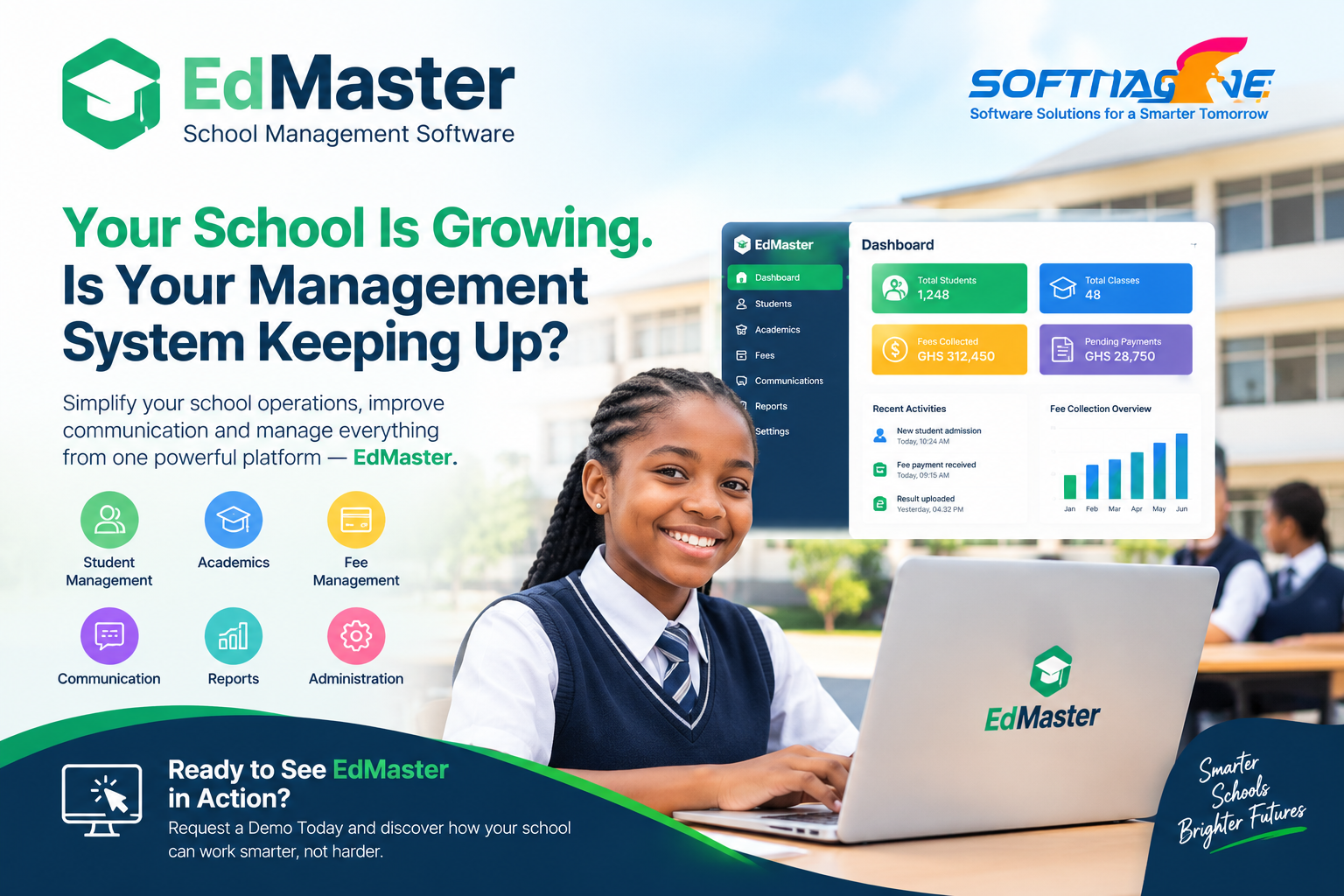
1 Dashboard — Your All-in-One Control Center
The Edmaster dashboard gives every user a quick snapshot of what matters most, with tools to act immediately.
What you see at a glance (live stats):
- Today’s attendance percentage and absences
- Unread messages/announcements
- Fees due & recent payments
- Upcoming events/exams & tasks
- Quick performance summaries (e.g., class averages)
Quick actions (one click):
- Admit a student/import records
- Human Resources Management
- Configure school settings
- Add an assignment / enter marks
- Start attendance
Role-based views:
- Admins: admissions, finance, staff & system alerts
- Teachers: timetable, attendance, grading to-dos, messages
- Parents: child’s attendance, results, bills, alerts
- Students: assignments, quizzes, notes, results, timetable
Custom & drill-down:
- Rearrange/hide widgets, choose preferred term/class
- Click any card to open the full report or module
- Export summaries when needed
Mobile-ready & secure:
- Works smoothly on phones, tablets, and laptops
- Data updates in real time; access is permission-based
2. Multi-Portal Access
Edmaster provides separate portals for parents, students, and staff. Each user logs in with their secure credentials and sees only information relevant to them.
- Parents track fees, attendance, and results.
- Students access assignments, notes, and grades.
- Teachers manage lessons, grading, and communication.
This makes the system secure, organized, and user-friendly for everyone.
3. Parent Portal
Parents get a direct window into their child’s education. Through the portal, they can:
- View academic results.
- Monitor attendance.
- Receive SMS notifications and fee reminders.
This ensures better communication and stronger parent involvement in a child’s progress.
4. Student Portal
Students can log in to their own space and:
- View results instantly.
- Download lecture notes.
- Submit assignments and take quizzes.
This keeps learning active even outside the classroom.
5. Teacher Portal
Teachers no longer need to rely on manual paperwork. With the Teacher Portal, they can:
- Enter grades and remarks.
- Mark attendance.
- Send updates directly to parents and students.
This saves time and ensures faster feedback for learners.
6. Attendance Management
Instead of paper registers, teachers mark attendance digitally. The system automatically creates summary reports that help identify trends like lateness or absenteeism.
This improves student participation and accountability.
7. Bulk Data Upload
During admissions or when updating records, schools can upload multiple student and guardian details at once using an Excel file.
This eliminates errors and saves hours of manual data entry.
8. Subjects & Curriculum Configuration
Every school has different subjects and grading systems. Edmaster allows schools to:
-
Assign subjects to classes.
-
Set grading methods.
-
Adjust subjects as needed.
This flexibility ensures the system fits your school’s curriculum.
9. Examination assessment & Reporting Tools
Edmaster makes report cards and transcripts simple. It automatically calculates grades, prepares score breakdowns, and even allows customization to match the school’s branding.
This makes results easy to understand for both teachers and parents.
10. Finance Management
Schools can handle all billing within Edmaster. The system can:
- Generate invoices.
- Track payments.
- Provide financial history for each student.
This ensures transparency and accuracy in school finances.
10. Canteen & POS Management
For schools with a canteen or shop, Edmaster records sales and stock. Every transaction is tracked for accountability.
This helps schools manage non-academic operations smoothly.
11. Customizable System Settings
Edmaster can be tailored to each school’s needs. Administrators can configure grading systems, subjects, class allocations, and even how reports look.
This ensures the software adapts to your school’s identity and requirements.
Final Thoughts
Edmaster is more than just school software — it is a complete digital ecosystem that connects administrators, teachers, parents, and students. By combining academic management, finance tracking, communication, and reporting in one platform, Edmaster makes running a school simpler, smarter, and more effective.
If your school is looking for a reliable management solution, Edmaster is the partner you need to go digital with confidence.